Product photography guide: shooting for social media and the web
How to shoot product photos for social media and the web: white background, lifestyle, concept and detail shots, light, styling, formats and a shot list.
Product photography shows a product in its true colour, sharp and framed for where it will appear. Social media and a website need a set rather than a lucky frame: a main image on white, lifestyle and concept shots, and close-ups of the material.
We shoot products and food for cafes, restaurants and retail brands at their own venues, with our own crew.
Short answer: Agree where the images will run and write a shot list before the shoot. Keep the light soft, shoot every product the same way and leave room to crop. A white background shows the product; lifestyle and concept shots make people want it.
White background, lifestyle, concept and detail: what each is for
Each shot type answers a different question in the buyer’s mind.
| Shot type | Question it answers | Works best on | Watch out for |
|---|---|---|---|
| White background | What exactly does it look like? | Product pages, catalogues, marketplaces | Pure white without washing out edges or colour. |
| Lifestyle | How would it fit into my life? | Instagram feed, ads, website sections | A setting that suits the brand. |
| Concept | Why this brand, and why now? | Campaigns, seasonal and special-day posts | The idea must not upstage the product. |
| Detail | What is it made of? | Product galleries, carousels, stories | Shallow focus up close; blend differently focused frames if needed. |
You don’t need a studio for white-background shots: a paper sweep, a steady table and controlled light turn a stockroom into a clean set. Marketplaces usually want a plain white or light background and no text on the main image.
Light and colour
Light shapes a product photo more than the camera does:
- Soft light: window light through a sheer curtain or a diffuser keeps texture visible, and a white foam board opens the shadows. Save direct flash and midday sun for a deliberate concept.
- Mixed light: in many Istanbul cafes, window light mixes with warm bulbs and tints the plate; switch off the ceiling lights or match colour temperatures.
- Glossy and clear products: glass, metal and lacquered packaging reflect everything. A large soft source, black cards at the sides and a polarising filter on glass control reflections; backlight makes drinks glow.
- Colour accuracy: shoot a grey card at the start of each set-up and set the white balance from it; for clothing, cosmetics or icing, the screen must match reality.
Styling: the product is the hero
Styling covers the surface, fabric, props and palette. Rules that keep a set under control:
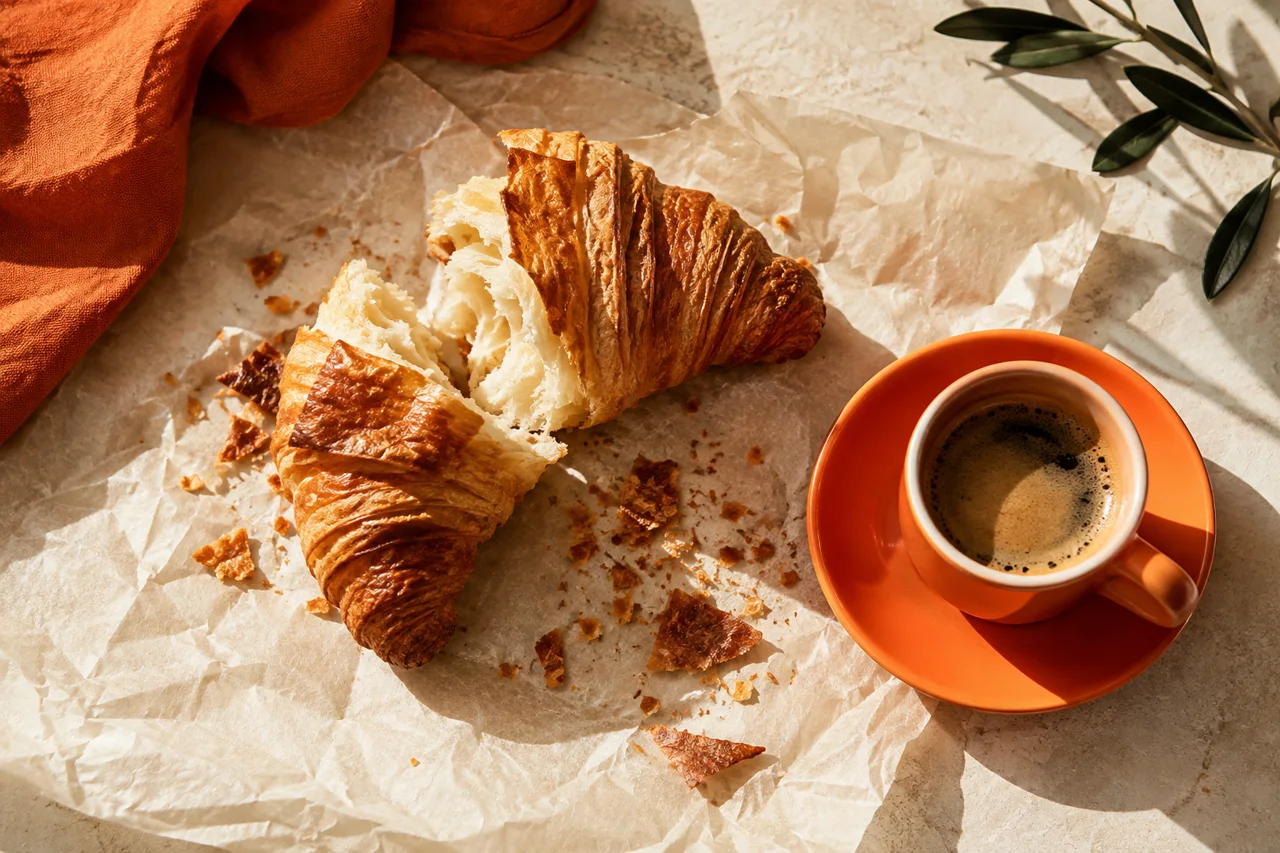
- Few, relevant props: a coffee beside a croissant is enough; unrelated objects steal attention.
- The right angle: flat plates from above; layered cakes, burgers and glasses at eye level; most dishes from the view of someone at the table.
- Preparation: dust, fingerprints and crooked labels look bigger on camera, so keep cotton gloves and a microfibre cloth on set.
- Timing and movement: light the set with a stand-in plate and shoot the real dish the moment it arrives. A pour of sauce caught in burst mode brings the frame to life.
- Honest retouching: remove dust, but never change the product’s colour, size or portion.
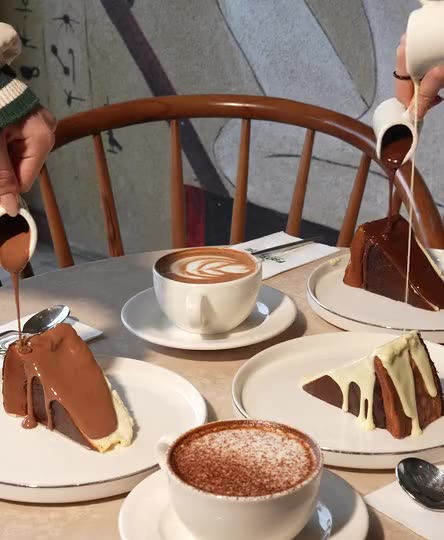
In lifestyle shots, the hand, the person and the venue should match the customer the product is for. For model shoots, we handle the casting with our own team.
Consistency across a catalogue
Products that look good alone but messy side by side lack consistency. Grids, menus and Instagram profiles need images that look like a family, so write a style guide:
- Camera: note the tripod’s position, height and angle, and tape marks on the table. A wide lens up close distorts shape, so step back and use a longer lens.
- Framing: the product fills the same share of the frame, with the same margins.
- Background, shadow and light: a fixed background colour, shadows on every product or none, and a photo of the light set-up.
- Colour: the same white balance and editing preset for the whole series.
- File names and alt text: product name, colour and angle in file names; descriptive alt text on the website.
Start each session with a reference frame and compare it with earlier shots; drift shows up straight away.
Formats for feeds, stories and websites
Feeds, stories, websites and ads crop the same product differently, so think about format before the shoot.
| Where | Frame | What to watch |
|---|---|---|
| Instagram feed | Portrait | Takes up the most space; the profile grid now shows vertical previews too. |
| Stories and Reels | Full-screen vertical | The interface covers the top, bottom and right edge; keep product and text central. |
| Website product cards | A consistent shape | Mixed shapes break the grid; compress images for speed. |
| Website banner | Wide horizontal | Phones crop the sides; keep the product central with room for text. |
| Ads | Vertical, square and horizontal | Meta: portrait in the feed, full-screen vertical in stories. Performance Max: horizontal and square. |
Frame a little wider than you need, and shoot key campaign frames in vertical and horizontal. For site structure, see our corporate website guide; for menu photos, our QR menu guide.

A shot list to fill in before the shoot
A shot list stops frames being forgotten on set. Adapt it for each product:
- Front view on white: the main image
- Side, back and top angles
- Close-ups of material and texture
- A scale shot, in the hand or in use
- Lifestyle frames at the venue or with a model
- Concept frames for campaigns, seasons and special days
- Packaging, box and label
- A group shot of the product family
- A horizontal frame with space for text, for banners and ads
- Short moving shots for Reels: pouring, opening, turning
When we manage a brand’s social media, shoots follow the content calendar the brand approves in advance. For the moving shots, see our Reels guide for cafes and restaurants; our photo and video production page explains how we run shoots.
Frequently asked questions
Do you need a studio for product photography?
No. Controlled light, a clean background and a steady camera set-up are enough. We shoot at your venue or on location with our own crew, bringing the equipment and lights.
White background or lifestyle: which should I choose?
You don’t have to choose: white shows what the product is, lifestyle shows who it is for. Product pages lead with white; Instagram and ads lean on lifestyle and concept frames.
Can product photos be shot on a phone?
For everyday stories, yes. For catalogues, websites and ads, the difference comes less from the camera than from light, styling and a consistent set-up.
Can I use the same photo everywhere?
Often, if it was framed wide. If the product fills the frame edge to edge, cropping cuts into it, so agree on formats before the shoot.