What is a QR menu? A practical guide for cafes and restaurants
What a QR menu is and how to prepare it for a cafe or restaurant: web menu or PDF, photos, allergens, languages, easy updates and where the code goes.
A QR menu is a digital menu that guests open on their own phone by scanning a code on the table or counter with the camera. No app is needed: the code opens a web page. A good QR menu is not a PDF of the printed menu but a page built for phones, with photos, allergen details, languages and a panel for instant changes.
Short answer: A QR menu is a digital menu opened by scanning a code. Use a web page, not a PDF, with real photos, clear allergens and languages for tourists, update it from a panel and place the code where guests can scan it easily.
Web-based QR menu or PDF?
The most common mistake is linking the code to a PDF of the printed menu: it opens tiny, guests pinch and scroll, and heavy files stall. Every change means a new file, and if it lands at a new address, your table codes keep opening the old menu.
| Feature | PDF menu | Web-based QR menu |
|---|---|---|
| Reading on a phone | Needs zooming and scrolling | Fits the screen, readable as it opens |
| Loading | The whole file downloads; heavy files stall | Opens quickly with light images |
| Updates | Rebuild and re-upload the file | Edit in the panel; the code stays the same |
| Languages | A separate file for each language | A language switch on the page |
| Allergens | Hard to find across pages | Under each dish, with labels |
| Hard to find as a file | A page on your own domain, linked from your business profile |
Point the code at your own domain, such as yourvenue.com/menu. Some QR generator services route codes through their own redirects; when the service ends, every code on your tables stops working.
What to put on the menu: photos, descriptions and allergens
Order the menu the way guests order, from breakfast to drinks, with categories fixed at the top of the screen. For each item, prepare:
- A name and a short description: ingredients, cooking method, sides.
- A real photo, at least for best sellers and desserts.
- Portion details, noting dishes meant for sharing.
- Allergens and labels such as vegetarian, vegan, spicy or made without gluten.
- Options such as milk choices or extras.
Photos
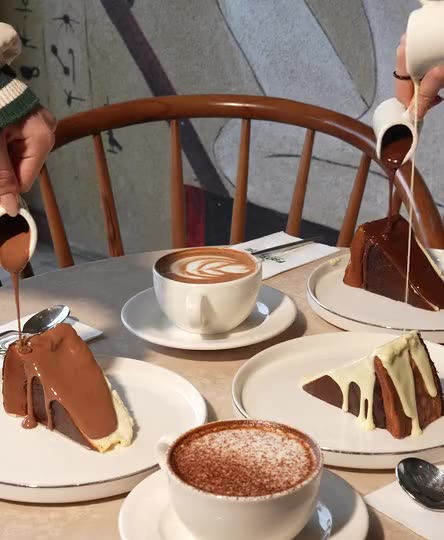
A menu photo is a promise about what will arrive at the table, and stock images break it. Shoot your own dishes in your venue, on your own plates, with consistent light and angles, and resize the files for phones before uploading. Our product photography guide covers food shots in detail.
Allergens and ingredients
Under the Turkish Food Codex, restaurants, cafes, patisseries and other food service venues must give guests allergen information before they order. The Ministry of Agriculture and Forestry’s menu rules also cover ingredients, allergens and calories, phased in by type of business, and accept QR codes as a way to share them. Check which timeline applies to you.
Write allergens in words under each dish, explain any icons and highlight allergens in ingredient lists. The list usually covers cereals containing gluten, milk, eggs, tree nuts, peanuts, sesame, soy, fish, crustaceans, molluscs, mustard, celery, sulphites and lupin. Update it with the kitchen when recipes or suppliers change, and add: “If you have an allergy, please tell our team before ordering.”
Languages for tourists
In Istanbul, around Sultanahmet, Beyoğlu, Karaköy, Kadıköy or the Bosphorus, many guests may not read Turkish. The same code can open the menu in other languages without printing separate menus.
- Start with English, then add Arabic, Russian or German to match your guests. Arabic reads right to left, so the layout must flip too.
- Put the language switch at the very top, with language names (English, Deutsch) rather than flags.
- Open the menu in the phone’s language, but let guests change it.
- Skip machine translation: for dishes like içli köfte, keep the Turkish name and add a short description.
- Keep allergen details complete in every language.
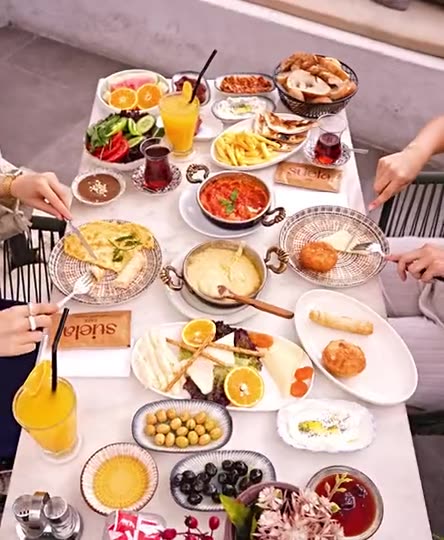
For local dishes such as a Turkish breakfast spread, mantı or künefe, a photo explains more than any translation.
Easy updates
A web menu’s real strength is that changes show up instantly: mark a dish as sold out, switch seasonal items on and off, highlight a daily special or update allergens, all without touching the table cards.
The panel should make adding, reordering and hiding dishes easy from a phone. Name a person responsible for updates and check the menu before opening. Announce new dishes on social media too; see Reels for cafes and restaurants.
As a web page, the menu can also go into your Google Business Profile’s menu link, your Instagram bio and your structured data (hasMenu in Restaurant markup), so people see it before they arrive. See our Google Business Profile guide.
Where to place the code: tables, counters and readability
With table service, put the code on every table: an acrylic stand, a durable sticker or a card in the napkin holder. Where guests order at the counter, place it at eye level by the queue so people choose while they wait. A code on the door or window reaches passers-by.
The Ministry of Trade’s labelling rules allow a QR menu at the table, but a printed menu must be provided when a guest asks, and the menu must also be displayed at the entrance. So keep printed menus.

For a code that scans easily:
- Print it large enough to scan from the seat, not hidden behind the napkin holder.
- Use a dark code on a light background with a clear margin, and keep any central logo small.
- Choose a matte finish; spotlights on glossy lamination make codes unreadable.
- Add “Scan with your phone camera to see the menu” and the menu address as plain text.
- Where the phone signal is weak, show the guest Wi-Fi details next to the code.
- Test the card with different phones in your real lighting before printing the batch.
On the menu page, put text on plain backgrounds, not over photos, and keep the font large; in dim evening venues, a dark background is easier on the eyes. We build QR menus for cafes and restaurants as web pages with an easy panel; see web design and development.
Frequently asked questions
Do guests need an app to use a QR menu?
No. Most current phones read QR codes with the built-in camera and open the menu in the browser, with no download or sign-up.
Is a PDF or a web-based QR menu better?
A web-based menu. It fits the screen, opens faster, carries languages and allergen labels, and updates without changing the code. A PDF is a stopgap.
Do we need to reprint the code when the menu changes?
Not if the code points to a fixed menu address on your own domain. If it points to a file or a redirect service that can expire, you may have to reprint.
Do we still need printed menus?
Yes. The Ministry of Trade’s rules require a printed menu when a guest asks, and some guests simply prefer paper. Keep it as current as the QR version.